Documentation home › Booking, Pickup and Operations
Watch the video tutorial
EP 7 · Laundry Pickup & Delivery Booking Form in WordPress (Built-in) · 4:15 · YouTube
Booking, pickup and delivery
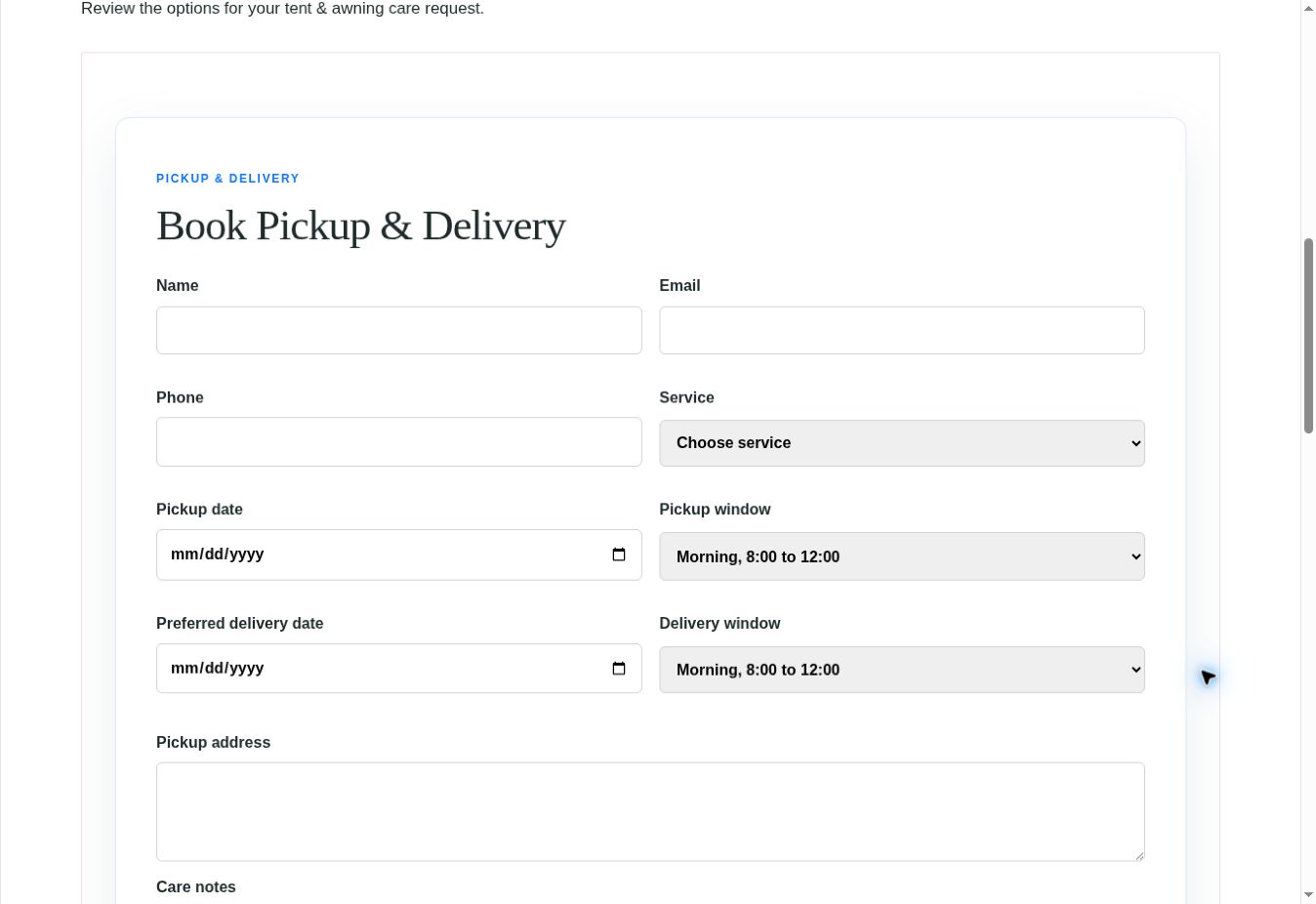
The booking page collects service and handover details. A request is not the same as a paid or confirmed order.
- Edit the booking page in its original editor and keep its booking function section.
- Review the service list, the pickup and delivery dates and windows, the address and the care-note fields.
- Replace the sample service-area settings and operating times with your real coverage and availability.
- On staging, submit a test request with your own contact details. Confirm that the request record is stored. Washlora does not send an email for it, so plan how your team will be told about new requests.
- Agree your business process for acceptance, price confirmation and customer follow-up before you open bookings.
Service areas, slots and tracking
Operational components depend on your own records and business configuration.
- Review the postcode checker, Pickup Slots and any blackout dates before you advertise availability.
- Use Garment Items and Delivery Routes where these modules support your workflow.
- Use the tracking pages only with valid test records and confirm what customers are allowed to see.
- Review recurring-pickup, weight-pricing and loyalty settings separately. Their presence in a demo does not configure a live subscription or payment system.
- Run an end-to-end staging order from request through fulfilment and delivery before launch.
Booking form rules
The booking form validates future collection times, delivery after collection, a quantity from 1 to 50, the address and the phone number. Booking dates are requests: they do not reserve courier capacity or guarantee a time slot.
Express care and garment tracking
- Express care is selected in the native product form and validated with a product-specific nonce. WooCommerce shows the surcharge as a separate cart fee.
- A URL parameter cannot change catalogue prices. The surcharge applies only to the selected cart items.
- New garment tags use random codes, and public tracking reveals status only. It does not show an order number publicly.
- Sequential tags created by older versions require the order owner or an authorised store manager to sign in.
What is not included
Washlora provides the pages, records and forms for requests, slots, routes and tracking. It does not include automatic recurring billing, capacity-based pickup slots or a payment-service account. Plan these as separate services if you need them.