Learn AreaIntelig feature by feature.
A dedicated video learning hub for the AreaIntelig WordPress plugin. Watch the complete tutorial set in a clear order, jump directly to a feature, or use the full documentation alongside each video.
Watch the complete video guidelines.
Select any tutorial from the playlist. The player updates without leaving this page, while each video remains available individually on YouTube.
01. Dashboard
Follow the plugin in a practical order.
You can watch any lesson independently, but this sequence gives new users a clean progression from setup and data to operational and advanced features.
Understand the workspace
Start with Dashboard, then Area Profiles and Properties to understand the core data model.
Explore intelligence
Continue with Smart Insights and IntelliHub to see how AreaIntelig surfaces decision-support information.
Configure operations
Review Contact Leads CRM, Settings and Tools for the day-to-day management workflow.
Finish specialist areas
Complete the series with Agent Portal and Green & Climate.
All AreaIntelig video tutorials.
Every tutorial is listed as a separate reference card. Play it in the main player or open the original YouTube watch page.
 ▶01
▶01Dashboard
Overview of the AreaIntelig dashboard, quick stats, navigation and the main plugin workflow.
 ▶02
▶02Area Profiles
Create and manage area intelligence profiles and the location data used across the plugin.
 ▶03
▶03Properties
Add and manage property records, then connect listings with AreaIntelig area intelligence.
 ▶04
▶04Smart Insights
Review Smart Insights and the intelligence outputs used to support property decisions.
 ▶05
▶05IntelliHub
Use the central IntelliHub workspace and understand its connected intelligence features.
 ▶06
▶06Contact Leads CRM
Manage property enquiries, contact leads and the lead-management workflow inside AreaIntelig.
 ▶07
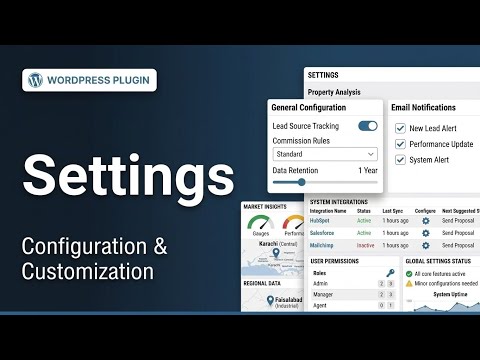
▶07Settings
Configure AreaIntelig behavior, display options and operational settings.
 ▶08
▶08Tools
Use the maintenance, utility and supporting tools included with AreaIntelig.
 ▶09
▶09Agent Portal
Understand the frontend agent workflow, portal experience and agent-facing features.
 ▶10
▶10Green & Climate
Review the green, sustainability and climate intelligence features available in AreaIntelig.
Video for workflow. Documentation for reference.
The video hub is intentionally separate from the full documentation. Use videos when you want to see the interface and workflow, and use the documentation when you need detailed setup notes, screenshots, shortcodes or feature reference.
Need the written reference too?
The original multi-language AreaIntelig documentation remains separate and unchanged, with its own search, screenshots, navigation and detailed feature reference.